IHSS EVV Mobile App
- 4.4
- Rating
- 100.00K
- Installs
- Free
- Price

 Analysis by App-foxy
When an app is used to record care work, its value is not measured by how exciting it feels on the first day. It has to become a dependable part of a routine without creating extra confusion for the provider or the person receiving care. I spent time looking at IHSS EVV Mobile App from that practical point of view, and my overall impression is that it is a focused tool rather than a broad medical companion. Its usefulness comes from making required check-in and check-out actions easier to complete consistently.
Developed by CalHHS OTSI, this free medical app is aimed at IHSS and WPCS providers in California. That narrow audience matters. If you are a provider who needs a mobile way to handle electronic visit verification, the app has a clear purpose. If you are looking for appointment management, medication reminders, symptom tracking, or general health information, this is not the right category of tool.
The app has reached over one hundred thousand installs and holds an average rating of 4.3 from around one thousand ratings, which suggests that many users find its central job worthwhile. It is rated for Everyone, runs on Android seven or later, and the current version is 1.7.0. Those details make it approachable for people using older compatible phones, although the experience still depends heavily on how smoothly the app fits into an individual provider’s daily schedule.
You May Also Like

 Blood Strike: 2.5 Anniversary
Blood Strike’s Loadouts Turn Every Drop Into a Tactical Gamble
A close look at Blood Strike’s custom loadouts: how fast access to signature weapons reshapes its battle royale rhythm, rewards preparation, and narrows the gap between fights.

 Pandora - Music & Podcasts
Pandora’s Music Is Easy to Start, but Harder to Recover
Pandora’s strength is its low-effort path from a seed to a station. Its weak spot is how much confidence it asks you to place in connection, setup, and quiet recovery.

 8 Ball Pool
 Is Built on Rivalries, Rematches, and Routine
A close look at the rivalries, rematches, shared routines, and unanswered safety questions that turn a quick pool match into a persistent mobile community.

 Samsung Music
’s Quiet Strength Is Playing What You Already Own
Its reach comes less from spectacle than from dependable access to a personal library. That simplicity is both the app’s strongest retention engine and its ceiling.

 AccuWeather: Weather Radar
AccuWeather Review: A Quick, Clear Forecast for Everyday Decisions
For everyday plans, the best forecast is the one you can understand quickly. AccuWeather makes rain timing, radar, and local conditions easy to act on, with a few trade-offs.

 Hill Climb Racing
Why Hill Climb Racing Still Turns Crashes Into One More Run
A tiny car, a bumpy hill and one more upgrade: Hill Climb Racing keeps resurfacing because its simple chaos makes every near-miss feel personal.
More From Our News Desk



What feels useful during the first week
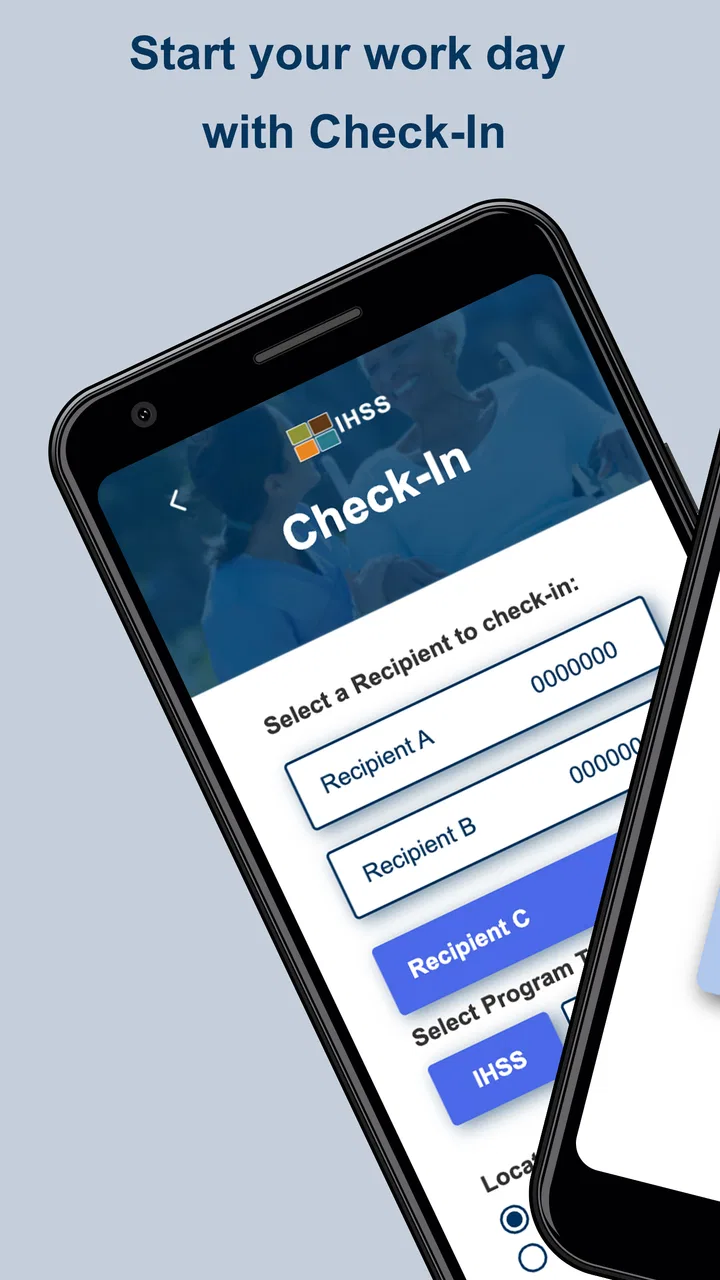
The first-week appeal is easy to understand: the app gives a provider a dedicated place to complete EVV actions instead of relying on memory, paper notes, or a separate process that has to be reconstructed later. The check-in and check-out focus keeps the purpose visible. I appreciate that kind of restraint because a work tool can become harder to trust when it tries to do too many unrelated things.
A realistic example would be a provider arriving at a recipient’s home for a scheduled period of care. Rather than waiting until the end of the day and trying to remember exact visit details, the provider can make the check-in action part of arriving and the check-out action part of leaving. That habit is more reliable than treating documentation as an administrative task to complete whenever there is spare time.
That workflow also highlights an important practical point: the app is most useful when it is opened at the natural boundaries of a visit. I would not treat it as something to launch repeatedly throughout the day without a reason. A provider can reduce friction by keeping the phone accessible before entering the home, checking the visit status at the beginning, and confirming the closing action before moving on to the next responsibility.
The app’s narrow focus may feel reassuring during the first few uses. There is less temptation to explore unrelated menus or turn the tool into a personal health diary. For a provider who already understands the IHSS or WPCS process, that directness can shorten the learning curve. The first week is mainly about building confidence that the required action has been completed at the right moment.
Still, I would not confuse a simple purpose with a completely effortless experience. Any check-in and check-out system requires attention at times when a provider may be busy helping someone, handling transportation, or responding to an unexpected change. The app can support the routine, but it cannot replace the routine itself. The most important adjustment is behavioral: use it as part of arrival and departure, not as an afterthought.
Who benefits most from the focused design
This is a strong fit for an IHSS or WPCS provider who wants a mobile-first way to manage EVV obligations and prefers a dedicated official tool over handwritten reminders. It is also useful for someone who moves between care locations and does not want to depend on a desktop computer for every visit-related action. The mobile format matches the reality of work that happens away from an office.
The app is less compelling for a person who is not involved in California’s IHSS or WPCS provider workflow. A general caregiver, family member, patient, or home-health worker outside that setting should not install it expecting broad scheduling or care-planning features. Its value is tied to the specific program context, so the right question is not whether it is a good medical app in general, but whether it matches your provider responsibilities.
I would also be cautious about recommending it as the only organizational tool for a provider with complicated scheduling needs. A check-in and check-out app can handle its defined task while a calendar, agency process, or other approved system handles planning. Trying to force one focused app to replace every administrative tool is likely to create more work, not less.
Why it can keep earning a place month after month
The lasting value of this app depends on repetition. Unlike a wellness app that may offer new content or a game that rewards continued play, IHSS EVV Mobile App earns its place by being available whenever a provider needs to document the start and end of care. That may sound modest, but recurring administrative reliability is exactly what makes a tool worth keeping.
In my view, the best long-term use is to attach the app to two existing events: arriving and leaving. This is more dependable than setting a separate reminder at an arbitrary time. If the provider opens the app only after getting home, the process becomes vulnerable to interruptions, tiredness, and uncertainty about the correct visit details. A location-based habit, even one created through personal discipline rather than an app feature, is a better safeguard.
Another useful habit is to pause briefly after each action and verify that the intended step has actually been completed. I would not rush through the screen while carrying groceries, assisting a recipient, or walking between tasks. A few seconds of attention at the boundary of a visit can prevent the larger frustration of discovering later that the record was not handled as expected.
This is also where the app compares favorably with common alternatives. Paper notes may feel flexible, but they shift the burden of accurate recording and later organization onto the provider. A general notes app can store text, yet it is not designed around the specific check-in and check-out purpose. A desktop-only workflow may be suitable for office administration, but it is less convenient when the provider is already at the care location.
On the other hand, the dedicated approach has a trade-off. A general calendar or notes app can sometimes hold broader context, such as errands, appointments, or personal reminders. IHSS EVV Mobile App should be viewed as the specialized part of a larger routine, not necessarily the entire routine. Its recurring value is strongest when the provider wants a clear EVV action and uses another approved method for everything outside that action.
The app’s free price also supports long-term adoption. There is no purchase decision standing between a provider and trying the official mobile workflow. That matters for people who need a practical tool rather than another subscription to monitor. Free access does not remove the need to learn the process, but it lowers the barrier to making the app part of everyday work.
Small workflow choices that make a difference
I found three practical choices especially important. First, decide in advance where the phone will be kept during a visit so it is available at the start and finish without interrupting care. Second, make the check-out action a deliberate final step rather than something done while already distracted by travel or household tasks. Third, if a visit changes unexpectedly, stop and handle the app action with the same care as the original plan instead of assuming the record will sort itself out.
These are not flashy features, but they are the difference between an app that is merely installed and one that remains useful. The app’s recurring value comes from reducing uncertainty at a precise moment. It cannot make every care situation predictable, so the provider’s workflow still has to account for interruptions.
For households where more than one person helps with care, it is also important to keep individual responsibilities clear. Each provider should understand which actions belong to their own visit and avoid treating a shared phone, shared notes, or informal verbal handoff as a substitute for completing the appropriate mobile task. The app works best when it is connected to a clearly owned responsibility.
Maintenance is light, but attention is still required
Maintenance here is less about constantly managing content and more about keeping the app available for the moment it is needed. Because the current version is 1.7.0 and the minimum operating system is Android 7.0, many compatible Android phones can potentially use it without requiring a recent device. Even so, I would keep the app updated through the normal app-store process and avoid waiting until a workday to discover that the phone or application needs attention.
A provider should also treat the phone itself as part of the workflow. A nearly empty battery, a device buried under other apps, or a phone left in a different room can turn a straightforward check-in into a stressful interruption. The app cannot compensate for a device that is unavailable. Charging the phone as part of the regular evening routine is a simple maintenance step with more practical value than repeatedly searching for a backup method.
It is worth taking a few minutes after installation to become comfortable with the sequence before relying on it during a busy visit. I would rather learn the basic flow during a quiet moment than try to interpret it while assisting someone. This is especially relevant for providers who are less comfortable with mobile forms or who rarely use administrative apps.
The age rating of Everyone makes the app broadly approachable from a content perspective, but that should not be mistaken for a guarantee that every user will find the workflow self-explanatory. Age suitability and operational familiarity are different things. A provider who needs help should use the appropriate official support or program guidance instead of guessing when a record or visit does not look right.
One limitation of a focused official app is that it may feel rigid compared with a personal note-taking method. Paper allows a provider to write down anything in any order. A general notes application can be customized around personal preferences. A specialized EVV tool is valuable precisely because it follows a defined purpose, but that also means users must adapt their habits to the workflow rather than redesigning the tool around themselves.
Where fatigue can build over time
The biggest source of fatigue is repetition under pressure. Checking in and out is simple when every visit follows the expected pattern. Real care work can involve delays, interruptions, changes in responsibility, or a recipient needing immediate attention. In those moments, opening a mobile app may feel secondary even though it remains important to the documentation routine.
That tension is not a reason to dismiss the app, but it does affect how I judge it. A tool like this succeeds when it reduces the mental load around a required action. It cannot remove the need for the provider to notice the right moment. If the process is repeatedly postponed, the app may start to feel like another obligation rather than a helpful safeguard.
There is also a psychological cost to using a specialized app for only a small part of the day. People often prefer one dashboard that combines schedules, messages, notes, and records. IHSS EVV Mobile App does not need to become that dashboard to be useful, but providers should be realistic about the number of tools they already manage. If an agency or care arrangement already has an approved workflow, adding this app should clarify responsibilities rather than create duplicate entry.
Another possible frustration is uncertainty after an interrupted action. If the phone loses attention because a call arrives, the provider is helping the recipient, or the app is closed before the step feels complete, the natural reaction may be to move on and hope everything worked. My advice is to build in a quick confirmation habit and seek proper guidance when something appears inconsistent. Guessing is more tiring than spending a moment resolving the issue correctly.
The app is also not the best answer for someone who wants rich personal analytics. It is not the kind of product I would choose for tracking symptoms, exercise, medication adherence, or general wellness. Those needs call for different medical or productivity tools. Using this app outside its intended EVV role would make its narrowness feel like a weakness, even though that narrowness is also its main strength.
When another option may be better
If your main need is planning visits across a week, a calendar may be easier to read. If you need detailed care notes, a separate approved documentation system may be more suitable. If you work outside the IHSS and WPCS environment, another provider-specific solution may fit your rules better. And if your workplace already requires a different official process, following that process is more important than choosing the app I am reviewing here.
For an eligible provider who simply wants a convenient mobile route for check-in and check-out, however, replacing it with paper or a generic notes app would usually add uncertainty. Those alternatives can record that something happened, but they do not offer the same focused relationship to the EVV task. The trade-off is that the provider must accept a narrower workflow and maintain the habit.
My long-term verdict
After the novelty fades, IHSS EVV Mobile App remains useful for a specific reason: it supports a recurring responsibility that providers cannot treat casually. I do not see it as an app that needs to entertain, educate, or expand into a complete care-management platform. Its lasting value is quieter. It gives the right users a dedicated mobile place to handle the beginning and end of a visit.
I would recommend it to California IHSS and WPCS providers who want a free, focused EVV tool and are willing to make it part of their arrival-and-departure routine. The strongest results will come from pairing it with simple personal practices: keep the phone accessible, complete the action at the natural boundary of the visit, pause to confirm the result, and avoid postponing documentation until the day has become crowded.
I would skip it if you are looking for general medical guidance, broad caregiver organization, or a flexible journal. It is also not a substitute for every system an agency or program may require. Its fit is specific, and that specificity should be treated as a benefit rather than a disappointment.
Overall, I think IHSS EVV Mobile App earns lasting space when the user needs exactly what it is built to support. The experience may not eliminate every source of administrative fatigue, and it still depends on a provider’s attention and phone readiness. But for the right California care workflow, its focused design is more valuable than a collection of unrelated features. I would keep it installed, use it deliberately, and judge it by the consistency it brings to repeated visits rather than by how impressive it feels during the first week.
FAQs for IHSS EVV Mobile App
01What is the IHSS EVV Mobile App used for?
The IHSS EVV Mobile App is designed for In-Home Supportive Services (IHSS) providers and recipients. It streamlines the tracking and verification of service hours through electronic visit verification (EVV), ensuring compliance with state and federal regulations. This app simplifies the process of logging work hours, reducing paperwork and enhancing accuracy.
02Is the IHSS EVV Mobile App free to download and use?
Yes, the IHSS EVV Mobile App is free to download and use for both Android and iOS devices. There are no hidden fees or subscription charges associated with its use. However, users should ensure they have a stable internet connection for optimal app performance and data synchronization.
03How do I set up the IHSS EVV Mobile App for the first time?
Setting up the IHSS EVV Mobile App is straightforward. After downloading the app, you will need to register using your IHSS provider or recipient ID. Follow the in-app instructions to verify your identity and create a secure login. Ensure all personal details are accurate to facilitate smooth app functionality.
04What features does the IHSS EVV Mobile App offer?
The IHSS EVV Mobile App offers a variety of features, including real-time logging of work hours, GPS location verification, and electronic signature capabilities. It also provides notifications for schedule changes and allows users to view and manage their work history and upcoming shifts, enhancing overall efficiency.
05Is my data secure with the IHSS EVV Mobile App?
Yes, the IHSS EVV Mobile App is designed with data security in mind. It uses encryption to protect personal information and complies with all relevant privacy regulations. Regular updates ensure that security protocols are up-to-date, providing peace of mind to users regarding their sensitive data.
Pros
- User-friendly interface simplifies navigation.
- Real-time updates ensure accurate data.
- Secure login protects user information.
- Offline mode available for remote areas.
- Efficient time tracking boosts productivity.
Cons
- Limited customization options for users.
- Requires frequent updates for best performance.
- Battery consumption can be high during use.
- Occasional glitches in the notification system.
- Initial setup can be time-consuming.

IHSS EVV Mobile App
Gallery